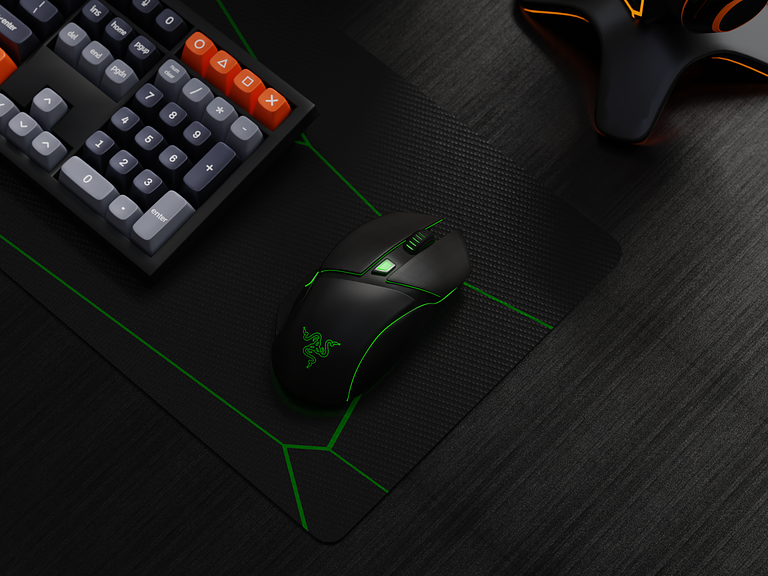
3D – Gaming Mouse 🖱
🎮 3D – Gaming Mouse Animation 🖱️🕹️
Step into the immersive world of gaming with the 3D Gaming Mouse Animation. This dynamic and visually captivating animation brings to life the features and design elements of a gaming mouse, creating an engaging experience for gamers and tech enthusiasts. Let’s explore the key aspects of this exciting 3D animation.
🌈 Sleek Design Showcase
The animation begins with a close-up view of the gaming mouse, highlighting its sleek and futuristic design. Dynamic camera angles and smooth transitions provide a 360-degree view, allowing viewers to appreciate the mouse’s aesthetics from every angle.
🚀 High-Performance Features
As the animation unfolds, focus shifts to the high-performance features of the gaming mouse. Each feature is highlighted with dynamic text overlays, accompanied by animated icons to represent precision, responsiveness, customizable buttons, and any other cutting-edge functionalities.
🎯 Precision and Accuracy Demonstration
Experience the precision and accuracy of the gaming mouse through a demonstration segment. The animation showcases the mouse in action, seamlessly gliding across a virtual gaming environment. Dynamic visual effects emphasize the mouse’s ability to track movements with utmost precision.
🌐 Customizable RGB Lighting Display
Enter the realm of personalization with a segment dedicated to the customizable RGB lighting of the gaming mouse. The animation explores various lighting modes and color options, creating a mesmerizing display that adds a touch of flair to any gaming setup.
🕹️ Ergonomic Comfort Features
Shift the focus to the ergonomic design and comfort features of the gaming mouse. Dynamic animations illustrate how the mouse is crafted for extended gaming sessions, with a comfortable grip, strategically placed buttons, and a design that reduces fatigue during intense gaming marathons.
🔄 Adjustable DPI Settings
Highlight the versatility of the gaming mouse by showcasing adjustable DPI settings. Animated visuals demonstrate how users can seamlessly switch between different sensitivity levels, catering to various gaming scenarios and preferences.
🔧 Customizable Buttons Configuration
Explore the customizable buttons configuration with an animated sequence that demonstrates how users can tailor the mouse to suit their gaming style. Dynamic overlays and transitions guide viewers through the process of mapping buttons for quick and efficient commands.
📈 Performance Metrics Overlay
Display performance metrics through dynamic overlays that highlight real-time data such as polling rate, response time, and other key indicators of the gaming mouse’s performance. This segment adds a layer of technical detail for enthusiasts who appreciate the specifications.
🌐 360-Degree Rotation View
Conclude the animation with a mesmerizing 360-degree rotation view of the gaming mouse. Dynamic rotations accompanied by subtle background effects create a visually stunning sequence that leaves a lasting impression of the gaming mouse’s design and functionality.
🎮 Call to Action – Explore the Gaming Experience
Wrap up the 3D Gaming Mouse Animation with a call to action, inviting viewers to explore the gaming experience with this cutting-edge mouse. Animated text prompts, coupled with dynamic transitions, encourage users to discover more about the product and consider it for their gaming setup.
✨ Conclusion – Elevating the Gaming Experience
In conclusion, the 3D Gaming Mouse Animation is a visually striking and informative journey that brings the gaming mouse to life. Through dynamic visuals, seamless transitions, and a focus on key features, the animation effectively communicates the mouse’s design, capabilities, and potential to elevate the gaming experience. 🖱️🕹️🎮
— — — — — — — — — —
Want to collaborate? Email Us: hello@keitoto.com


