Do it – To Do List App
✅ Do It – To-Do List App 📝🚀
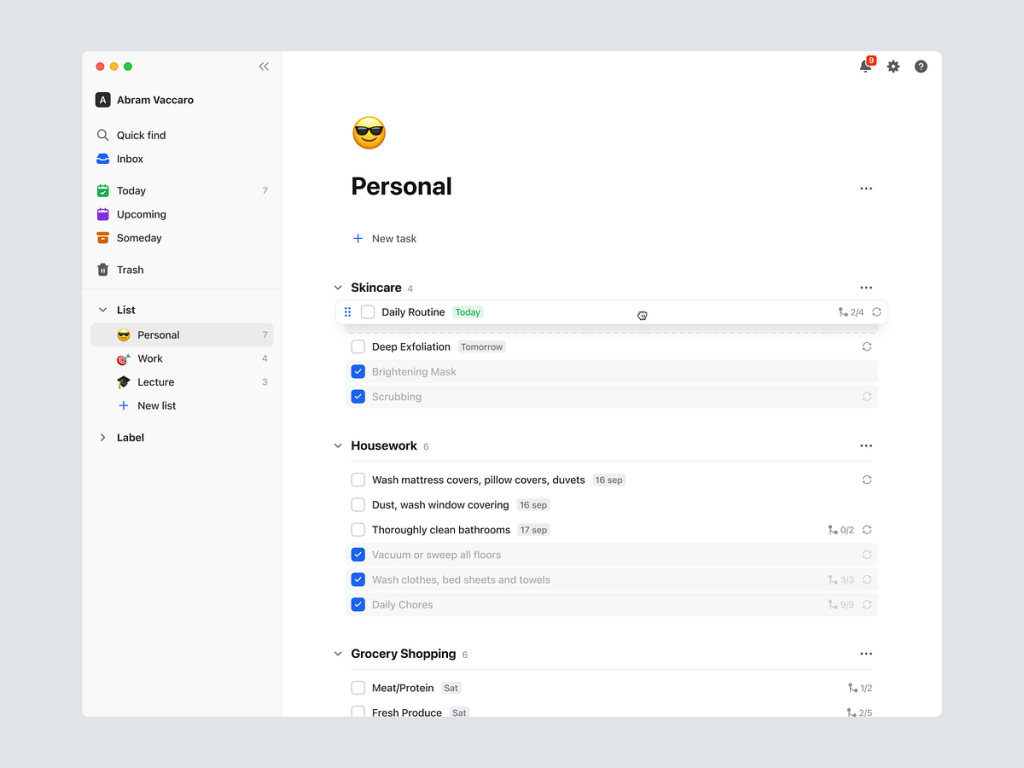
Meet Do It, your ultimate task management companion designed to make your day more organized and productive. This user-friendly to-do list app combines simplicity with powerful features, ensuring that you stay on top of your tasks with ease. Let’s explore the key functionalities and design elements that make Do It the go-to app for efficient task management.
📝 Intuitive Task Entry – Swift Planning
Do It simplifies task entry with an intuitive interface. Animated task cards and dynamic entry options make adding new tasks a swift and effortless process. The app ensures that capturing your to-dos is as quick as jotting them down on paper.
🔄 Seamless Task Editing – Flexibility at Your Fingertips
Experience flexibility with seamless task editing. Animated editing tools and dynamic task previews enable users to make changes effortlessly. Whether you need to update due dates, add details, or mark a task as complete, Do It provides a smooth editing experience.
📅 Organized Task View – Clear at a Glance
Stay organized with a clear and concise task view. Animated transitions between task lists, categories, and priority levels make it easy to grasp your agenda at a glance. Do It ensures that you always have a comprehensive overview of your tasks.
🚀 Quick Task Sorting – Prioritize with Ease
Prioritize tasks with quick and easy sorting options. Animated drag-and-drop functionality allows users to rearrange tasks effortlessly. Whether you follow a priority-based system or prefer a chronological order, Do It adapts to your preferred sorting style.
🎯 Task Categories – Structured Organization
Organize your tasks with animated category labels. Do It allows users to create custom categories for tasks, enhancing the structured organization of to-dos. Quickly filter tasks based on categories to focus on specific areas of your life or work.
⏰ Smart Reminders – Stay on Schedule
Never miss a deadline with Do It’s smart reminder feature. Animated reminder settings and dynamic notifications keep you informed and on schedule. The app ensures that you receive timely reminders for upcoming tasks, helping you stay proactive.
🔄 Recurring Tasks – Automation for Routine
Simplify your routine with recurring task options. Animated recurrence settings and dynamic patterns make it easy to set up tasks that repeat at specified intervals. Do It automates your routine tasks, saving you time and effort in task planning.
📊 Progress Tracking – Visualize Your Achievements
Visualize your achievements with animated progress tracking. Do It provides dynamic charts and visual indicators that showcase your task completion over time. Track your productivity and celebrate your accomplishments with a glance at your progress.
🔗 Task Attachments – Enhanced Details
Enhance task details with attachments using animated file upload features. Do It allows users to attach documents, images, or links to tasks. Animated previews and dynamic links ensure that task details are enriched with relevant information.
🔄 Cross-Platform Sync – Access Anywhere, Anytime
Access your to-dos seamlessly across devices with animated sync features. Do It ensures that your tasks are updated in real-time, whether you’re using the app on your smartphone, tablet, or computer. Enjoy the flexibility of managing tasks from anywhere.
✨ Conclusion – Elevate Your Productivity Game
In conclusion, Do It is not just a to-do list app; it’s your personal productivity companion. With an intuitive interface, powerful features, and animated functionalities, Do It elevates your task management experience. Stay organized, prioritize effectively, and make every day more productive with Do It. 📝🚀
— — — — — — — — — —
Want to collaborate? Email Us: hello@keitoto.com


