Nulis – Notes Desktop App
Nulis – Redefining Note-Taking with a Desktop App 🖥️📝
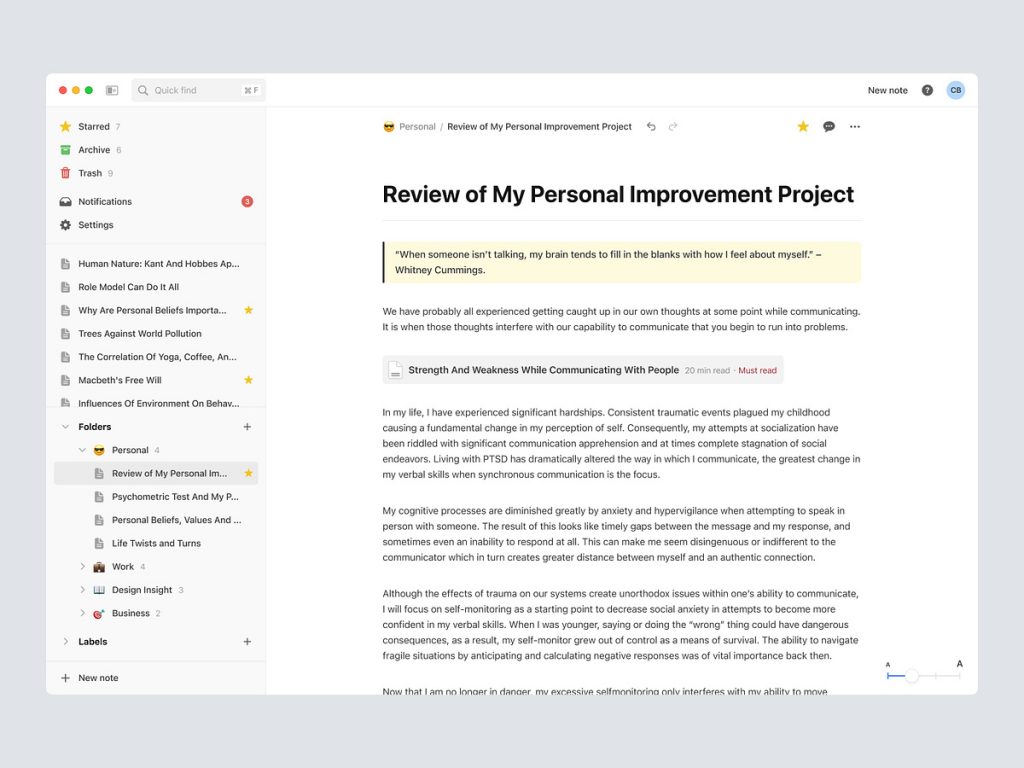
Introducing Nulis, a revolutionary desktop app that goes beyond traditional note-taking. Nulis is designed to elevate your note-taking experience, providing a seamless blend of functionality, aesthetics, and productivity. Let’s explore the key features and design elements that make Nulis the go-to desktop app for capturing ideas, organizing thoughts, and boosting productivity.
✨ Intuitive User Interface – Elegant Simplicity
Nulis boasts an intuitive user interface characterized by elegant simplicity. The design prioritizes user experience, ensuring that navigating through the app feels natural and effortless. Whether you’re a seasoned note-taker or a novice user, Nulis welcomes you with a clean and user-friendly interface.
🗂️ Organized Notebooks – Structured Creativity
Say goodbye to scattered notes! Nulis introduces organized notebooks that allow users to categorize and structure their notes effectively. Whether it’s personal, work, or academic, users can create distinct notebooks, providing a structured canvas for their creativity and ideas.
🖋️ Versatile Note Formats – More Than Just Text
Nulis understands that notes are more than just text. The app supports versatile note formats, allowing users to incorporate images, sketches, checklists, and even audio recordings seamlessly. This flexibility ensures that users can capture ideas in the format that best suits their creative process.
🔍 Quick Search – Find What Matters Instantly
In the sea of notes, finding the right information is crucial. Nulis incorporates a quick search feature that enables users to locate specific notes instantly. Whether you remember a keyword, date, or a snippet of text, Nulis helps you retrieve your valuable information effortlessly.
🚀 Productivity Features – Enhancing Efficiency
Nulis is not just a note-taking app; it’s a productivity powerhouse. The app includes features like tags, reminders, and collaborative editing, enhancing efficiency in organizing and managing notes. Collaborate seamlessly with colleagues or friends on shared projects and boost productivity to new heights.
🌈 Customizable Themes – Personalized Aesthetics
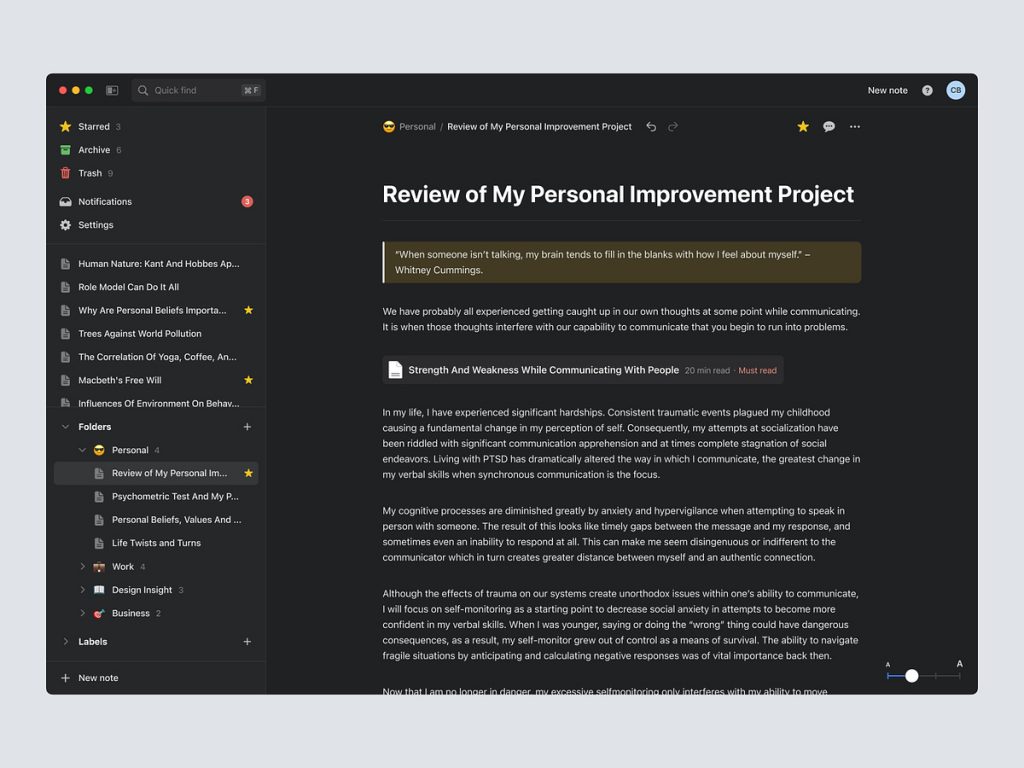
Tailor Nulis to your visual preferences with customizable themes. Whether you prefer a minimalist aesthetic, a vibrant burst of colors, or a soothing dark mode, Nulis allows you to personalize your note-taking environment. Customizable themes ensure that your note-taking experience aligns with your unique style.
📂 Cloud Sync – Access Anywhere, Anytime
Say goodbye to the limitations of a single device. Nulis incorporates cloud sync functionality, enabling users to access their notes from any device with the app installed. Seamless synchronization ensures that your notes are always up to date, whether you’re on your desktop, laptop, or mobile device.
🔒 Security Measures – Protecting Your Ideas
Security is paramount when it comes to personal or sensitive information. Nulis implements robust security measures, including encryption and password protection, ensuring that your ideas and notes remain private and secure.
🚀 Conclusion – Nulis: Redefining Note-Taking on Desktop
In conclusion, Nulis – Notes Desktop App stands at the forefront of desktop note-taking applications, redefining the way users capture, organize, and retrieve information. With its intuitive interface, organized notebooks, versatile note formats, quick search, productivity features, customizable themes, cloud sync, and security measures, Nulis transcends traditional note-taking, offering a holistic and empowering experience. Elevate your note-taking journey with Nulis—a desktop app designed to inspire creativity and enhance productivity. 🖥️📝✨
— — — — — — — — — —
Want to collaborate? Email Us: work@keitoto.com


