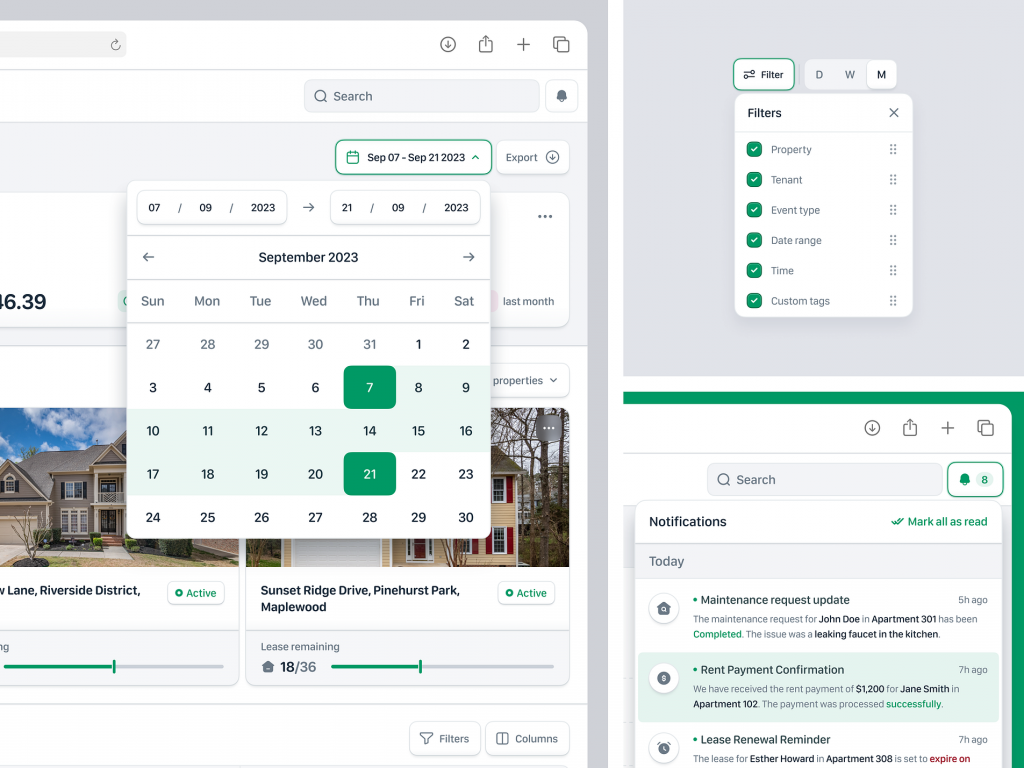
🏠 Propwise: Property Management SaaS Web App Dashboard – Modals 🏠
Propwise is an advanced property management SaaS web application designed to streamline real estate operations. A standout feature of Propwise is its dynamic dashboard, which includes various modals to enhance user interaction and functionality.
📊 Dashboard Overview 📊
The dashboard of Propwise offers a comprehensive view of property management activities. It features an intuitive layout, ensuring that users can easily navigate and access important information at a glance. The use of modals within the dashboard is pivotal for improving user experience, as they provide contextual information and functionality without leaving the main screen.
🔍 Quick View Modals 🔍
Quick view modals allow users to obtain detailed information about a specific property or tenant without navigating away from the dashboard. By clicking on an item, a modal pops up, displaying key details such as tenant history, payment status, and maintenance requests. This feature saves time and enhances efficiency by reducing the need for multiple page loads.
🛠 Maintenance Request Modals 🛠
Maintenance request modals enable property managers to swiftly address and track maintenance issues. Users can create new requests, assign tasks to maintenance staff, and monitor the progress all from within a modal window. This streamlined process ensures that maintenance issues are handled promptly and efficiently, improving tenant satisfaction.
💼 Tenant Interaction Modals 💼
Tenant interaction modals facilitate seamless communication between property managers and tenants. These modals allow managers to send messages, update lease agreements, and handle inquiries directly. The ability to manage tenant interactions through modals enhances communication and ensures that all interactions are logged and accessible.
📈 Reporting and Analytics Modals 📈
Reporting and analytics modals provide users with insights into their property portfolio’s performance. Users can generate reports, view analytics, and export data without disrupting their workflow. This feature empowers property managers to make data-driven decisions and optimize their operations.
🔐 Security and Permissions Modals 🔐
Security and permissions modals allow administrators to manage user access and permissions effectively. Within these modals, administrators can assign roles, set permissions, and ensure that sensitive information is only accessible to authorized personnel. This ensures a secure and compliant property management environment.
Conclusion
Propwise’s use of modals within its dashboard design significantly enhances the user experience by providing quick access to information and functionality. These modals streamline various aspects of property management, ensuring that users can efficiently manage their properties while maintaining high levels of tenant satisfaction and operational efficiency.
— — — — — — — — — —
Want to collaborate? Email Us: work@keitoto.com


