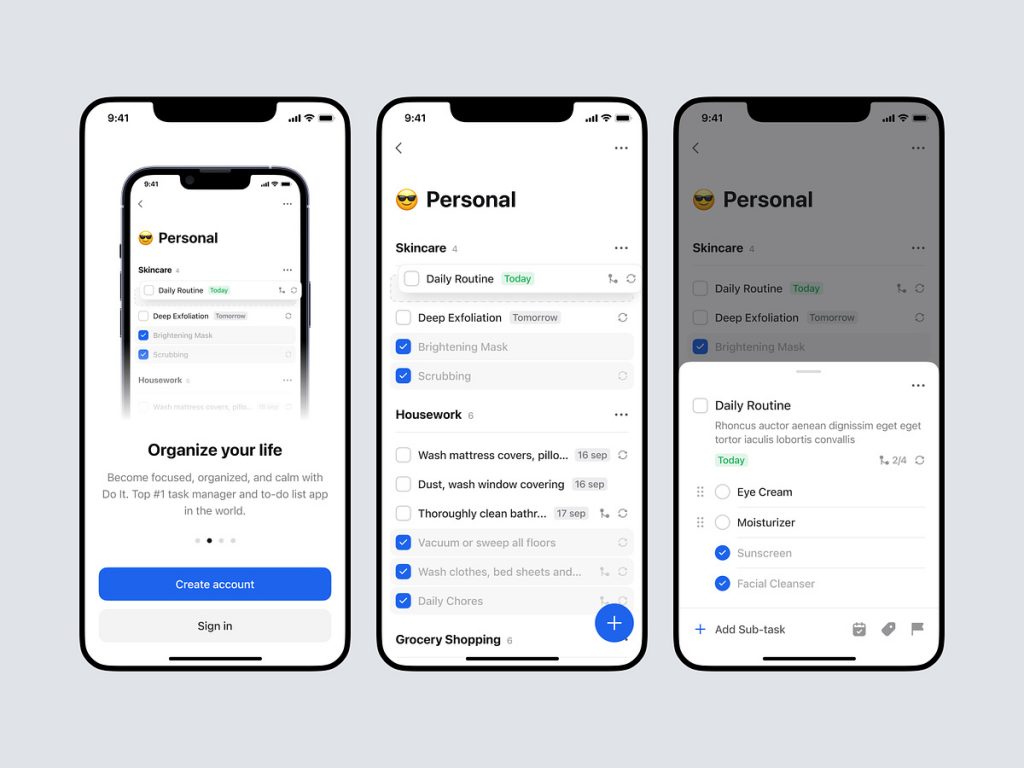
Do it – Mobile App
📱 Do It – Mobile App 🚀
Embrace productivity on the go with the Do It mobile app. This powerful application is designed to simplify task management and enhance your efficiency wherever you are. Let’s explore the key features that make the Do It mobile app a must-have tool for anyone looking to stay organized and on top of their tasks.
📝 Intuitive Task Creation – Effortless Planning 🌐
Creating tasks is a breeze with the Do It mobile app. The intuitive interface allows you to quickly jot down thoughts, set priorities, and schedule deadlines. Effortless planning puts you in control of your to-do list, ensuring nothing slips through the cracks.
🔄 Real-time Synchronization – Seamless Connectivity 📡
Stay in sync across all your devices with real-time synchronization. Whether you’re updating tasks on your smartphone, tablet, or desktop, changes are instantly reflected. This seamless connectivity ensures that your task list is always up to date, no matter where you access it.
🔔 Smart Reminders – Never Miss a Beat 🕰️
The Do It app keeps you on track with smart reminders. Receive timely notifications for upcoming tasks, deadlines, and important events. Customizable reminders adapt to your schedule, ensuring you never miss a beat in your busy day.
🔄 Cross-Platform Compatibility – Anytime, Anywhere Access 🌐
Enjoy the flexibility of accessing Do It on multiple platforms. The app’s cross-platform compatibility means you can seamlessly transition from your mobile device to your computer without missing a step. Your tasks are accessible anytime, anywhere.
🌐 User-Friendly Interface – Smooth Navigation 🎨
Navigate through your tasks effortlessly with the app’s user-friendly interface. The clean and intuitive design enhances the overall user experience, making task management a pleasure. The smooth navigation ensures you can focus on what matters most – getting things done.
📈 Progress Tracking – Visualize Your Achievements 📊
Track your progress and accomplishments with visual insights. The Do It mobile app provides charts and graphs to illustrate your productivity trends. Visualizing your achievements motivates you to stay on course and reach your goals.
📂 Project Organization – Structured Task Management 🗂️
Organize tasks into projects for structured task management. The Do It app allows you to categorize and group related tasks, providing a clear overview of your projects. This organizational feature streamlines your workflow and enhances productivity.
🛠️ Customizable Settings – Tailor the Experience 🎛️
Make the Do It app your own with customizable settings. Tailor the experience to suit your preferences, from choosing color themes to adjusting notification settings. Personalize the app to create a workspace that aligns with your unique style.
🔒 Secure Data Encryption – Protect Your Information 🔐
Your data is secure with Do It. The app employs robust encryption measures to protect your task lists, ensuring that your sensitive information remains confidential. Trust in the app’s commitment to safeguarding your data.
🔚 Conclusion – Empower Your Productivity 🚀
In conclusion, the Do It mobile app is more than just a task management tool; it’s a productivity powerhouse that empowers you to take control of your day. With features like intuitive task creation, real-time synchronization, smart reminders, and customizable settings, Do It ensures a seamless and efficient task management experience. Download the app today and elevate your productivity to new heights! 📱🚀
— — — — — — — — — —
Want to collaborate? Email Us: hello@keitoto.com


