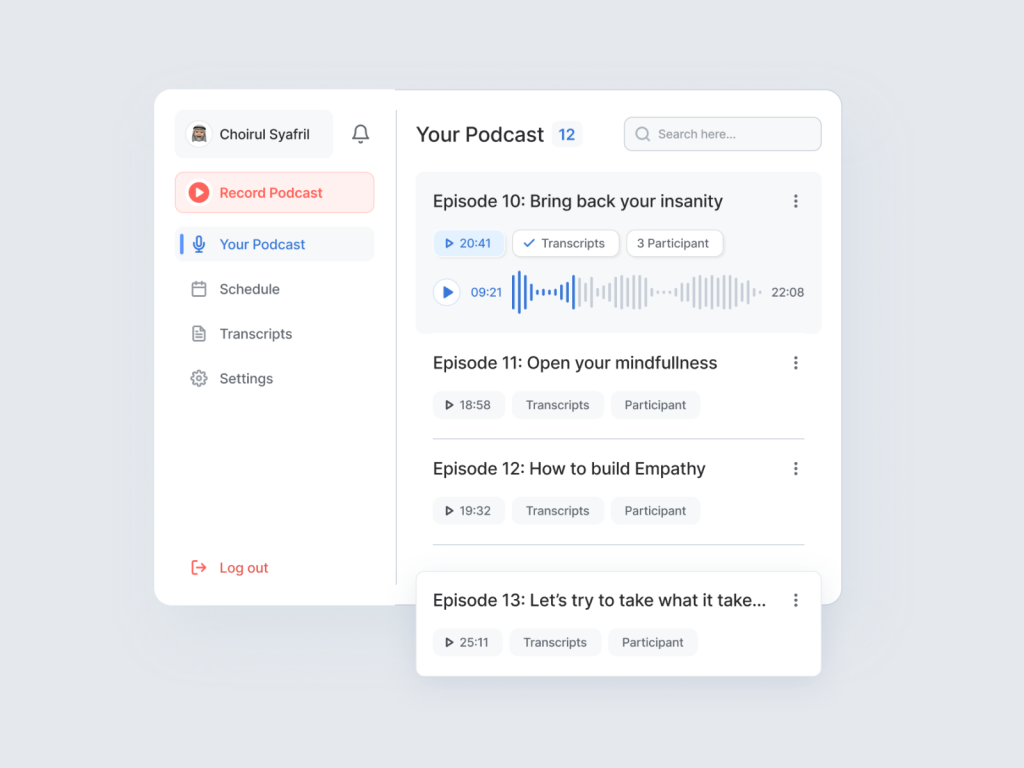
Podcast Plugin Dashboard: Streamlining Podcast Management with a Clean Desktop Design
Podcasting has surged in popularity, and the demand for user-friendly tools to manage the process has grown in tandem. Enter the Podcast Plugin Dashboard, a versatile solution designed for podcasters, content creators, and businesses to effortlessly manage every aspect of their podcasts. This intuitive dashboard simplifies podcast management, encompassing recording, transcription, and post-scheduling, all within a clean and efficient desktop interface.
A Dashboard Tailored to Your Needs
The Podcast Plugin Dashboard is thoughtfully designed to cater to a wide range of podcasting requirements, whether you’re an individual podcaster, a media company, or a marketing professional. Its clean and intuitive design makes the podcasting process more accessible and efficient for everyone.
Key Features of the Podcast Plugin Dashboard
1. Recording Studio:
The heart of any podcasting endeavor is the recording process. The dashboard’s built-in recording studio allows users to record, edit, and enhance their podcast episodes with ease. It offers a user-friendly interface for selecting microphones, adjusting audio levels, and adding special effects.
2. Transcription Services:
Transcribing podcast episodes is essential for accessibility, SEO optimization, and content repurposing. The dashboard seamlessly integrates with transcription services, providing a streamlined way to convert audio content into text.
3. Content Management:
The dashboard allows users to organize their podcast episodes and associated media files. Users can conveniently upload, manage, and edit their content library, making it easy to keep track of past and upcoming episodes.
4. Scheduling and Distribution:
Effortlessly schedule podcast episodes for publication with a user-friendly calendar interface. The dashboard supports integration with popular podcast hosting platforms, enabling automatic distribution to major podcast directories.
5. Analytics and Insights:
Podcasters can monitor their episode performance through the dashboard’s analytics feature. Track listener statistics, engagement metrics, and audience demographics to refine your podcast strategy.
6. Collaboration Tools:
For teams working on podcast projects, the dashboard supports collaboration, allowing multiple users to contribute, review, and manage content collaboratively.
The Benefits of a Clean Desktop Design
The Podcast Plugin Dashboard’s clean and uncluttered desktop interface offers several benefits:
- Efficiency: Users can access essential podcast management tools quickly and with minimal distractions.
- User-Friendly: The intuitive design ensures that even those with limited technical expertise can navigate the dashboard with ease.
- Professionalism: The polished desktop design reflects positively on your brand and podcast, making a strong impression on your audience.
In conclusion, the Podcast Plugin Dashboard is a game-changer for anyone involved in podcasting. Its clean and functional desktop design simplifies the process of podcast management, from recording to transcription and scheduling. By providing a one-stop solution for podcasters, it empowers them to focus on creating outstanding content and growing their audience while leaving the technical details to the dashboard. Podcasting has never been easier or more accessible.
Want to collaborate? Email Us: hello@keitoto.com
or visit our web Keitoto


